Release notes

What just shipped

Versioned notes for ProductPost 360. Same feed shape we look for on your site.

17 releases · RSS

0.17.0

Opportunity emails on their own days

Posting opportunities, AI visibility, and new drafts each go out on their own weekdays.
0.17.0 — Opportunity emails on their own days
  • New posting opportunities go out Monday, Wednesday, and Friday, when a release, post, or page shows up and does not have drafts yet.
  • AI visibility goes out Tuesday. New drafts go out Saturday, when they are ready to copy.
  • Each of those emails stays on its own weekday.
0.16.0

A weekly brief from four sources

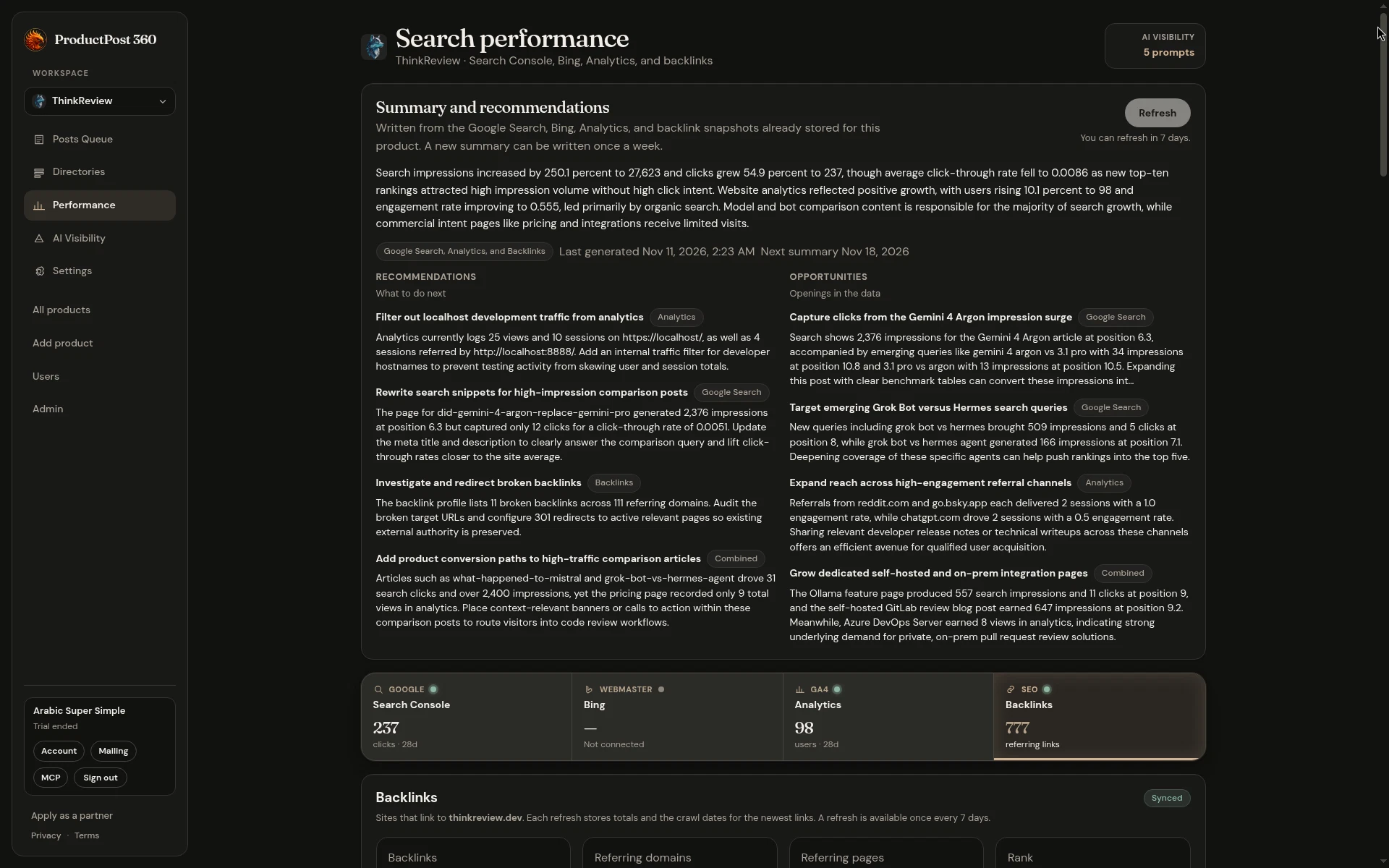
A weekly brief from Search Console, Bing, Analytics, and backlinks, with recommendations, opportunities, and the gaps one source hides.

0.16.0 — A weekly brief from four sources
  • Performance writes one brief from the Search Console, Bing, Analytics, and backlink snapshots already stored for the product.
  • You get a short summary, recommendations, and opportunities, including the blind spots a single source cannot see.
  • The brief stays on the product, with the date it was written. A new one can be written once a week.
Weekly performance summary and recommendations synthesized from Search Console, Bing, Analytics, and backlinks
Weekly summary with cross-source insights, recommended actions, and search traffic opportunities.
0.15.0

Arts pack, channel counts, and performance tabs

An arts and music pack, room counts before signup, and performance split into source tabs.

0.15.0 — Arts pack, channel counts, and performance tabs
  • An arts and music pack for musicians, producers, and visual artists.
  • Before signup, a shared pack shows how many rooms fit the product.
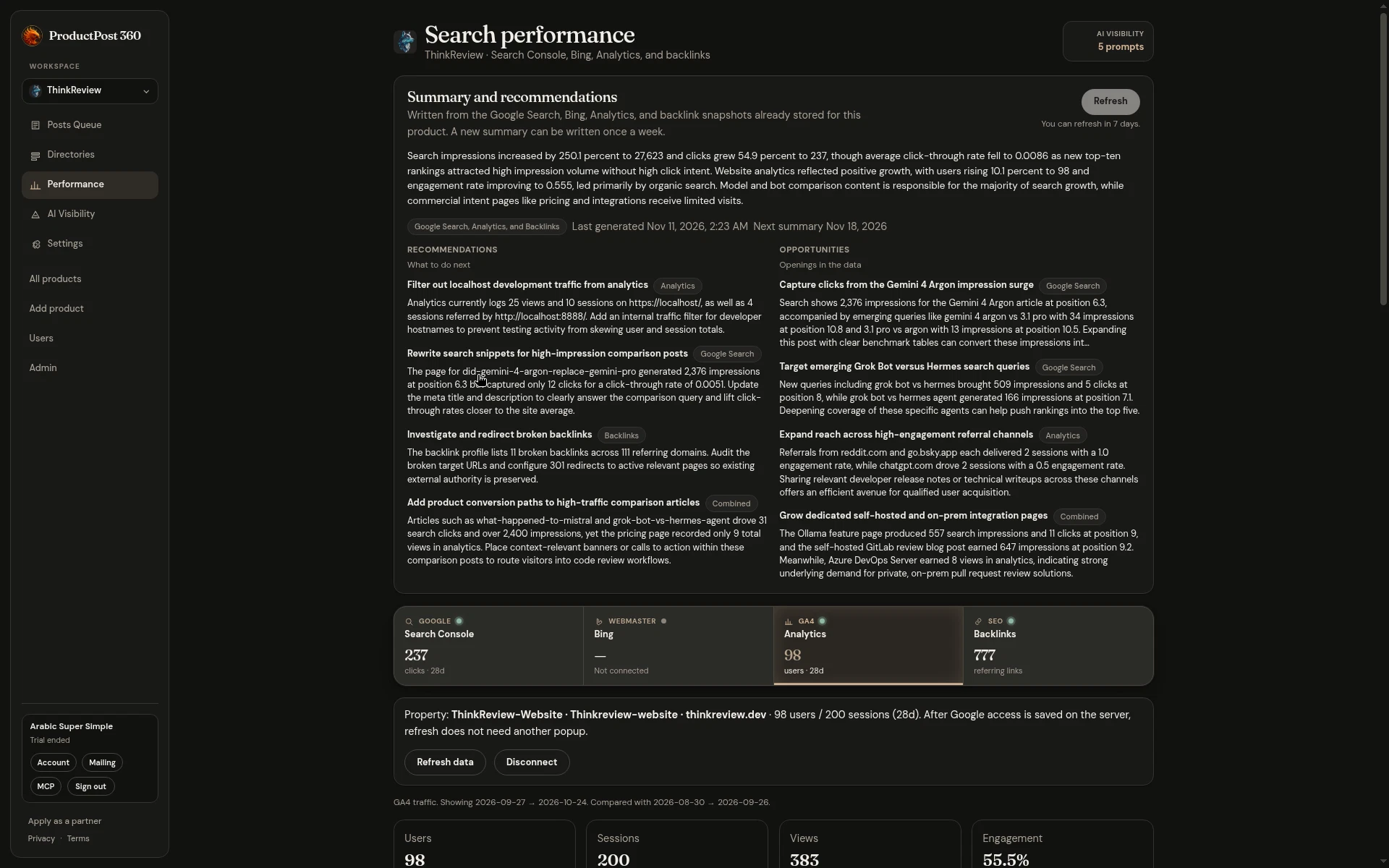
  • Performance is a row of source tabs instead of one long page.
Performance overview with tabs separating Analytics, Search Console, Bing, and Backlinks
Performance view split into source tabs with connected property metrics.
0.14.0

Reach radar and any Google account

A homepage radar of where the product can be posted, and Search Console or Analytics on a Google account you choose.

0.14.0 — Reach radar and any Google account
  • The homepage shows a radar of where the product can be posted.
  • Connect Search Console and Analytics with a Google account other than the one you use to sign in.
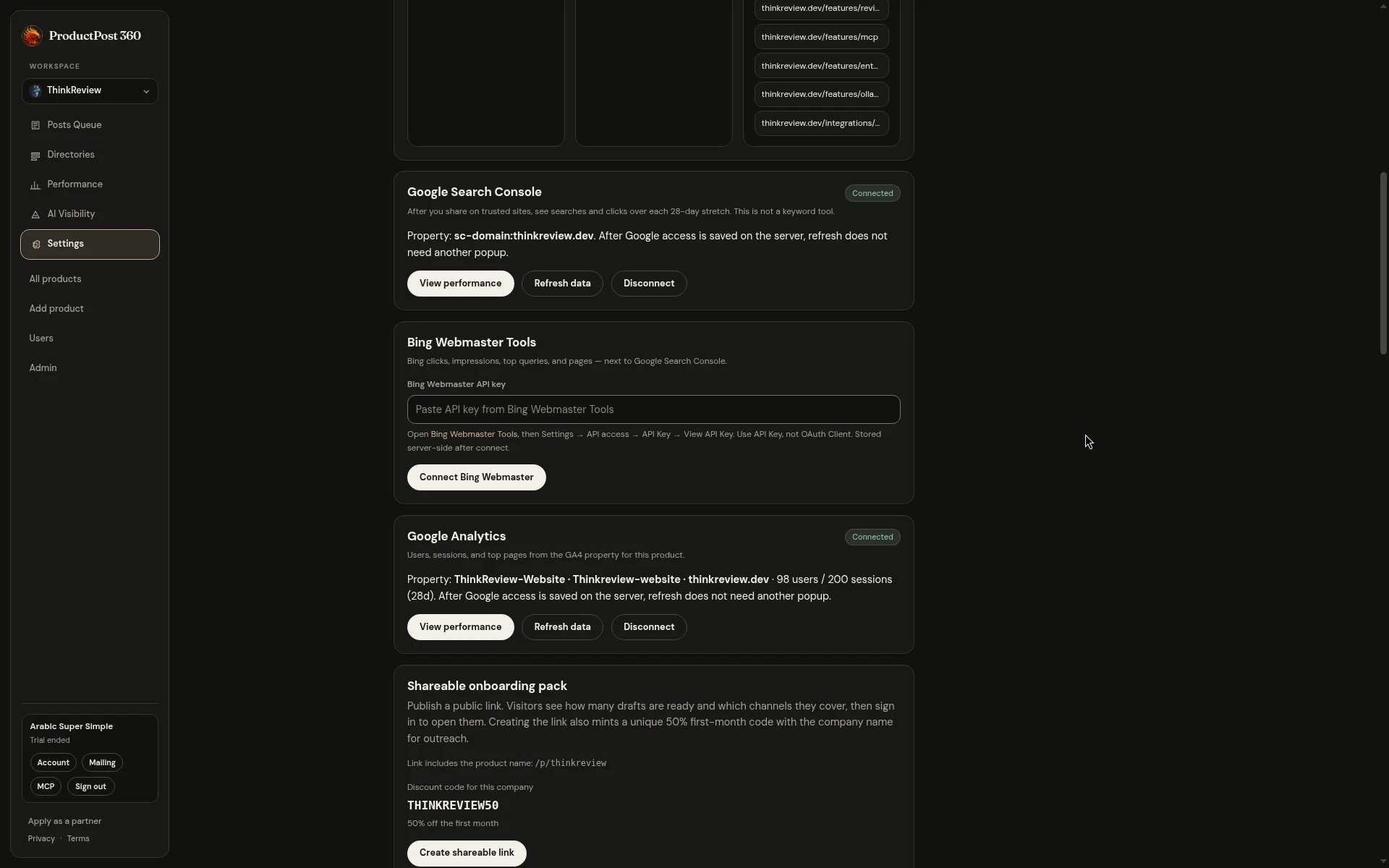
Product settings for Search Console, Bing Webmaster, and Google Analytics connections
Account connection controls for Search Console, Bing Webmaster, and Google Analytics.
0.13.0

Analytics and a 30-day trial

Connect Google Analytics for sources and referring URLs, and start a 30-day trial without a card.

0.13.0 — Analytics and a 30-day trial
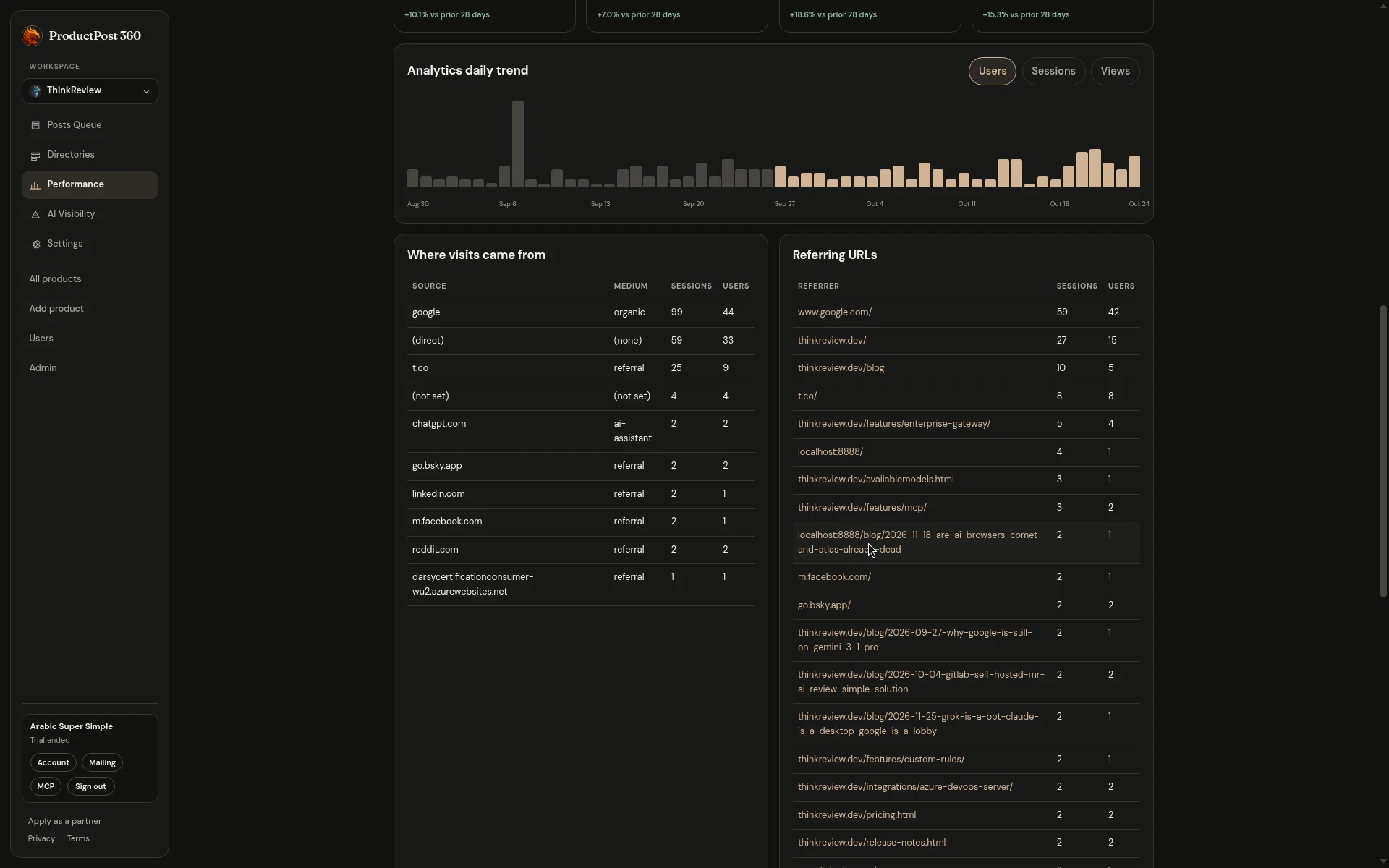
  • Connect Google Analytics and see sources and referring URLs next to Search Console.
  • The no-card trial is 30 days.
  • One copy control everywhere you copy a draft or a link.
Google Analytics daily trend chart, traffic sources, and referring URLs
Google Analytics daily trend chart with source breakdown and referring domains.
0.12.0

AI Visibility

See whether answer engines mention the product, share a report, and edit the prompts.

0.12.0 — AI Visibility
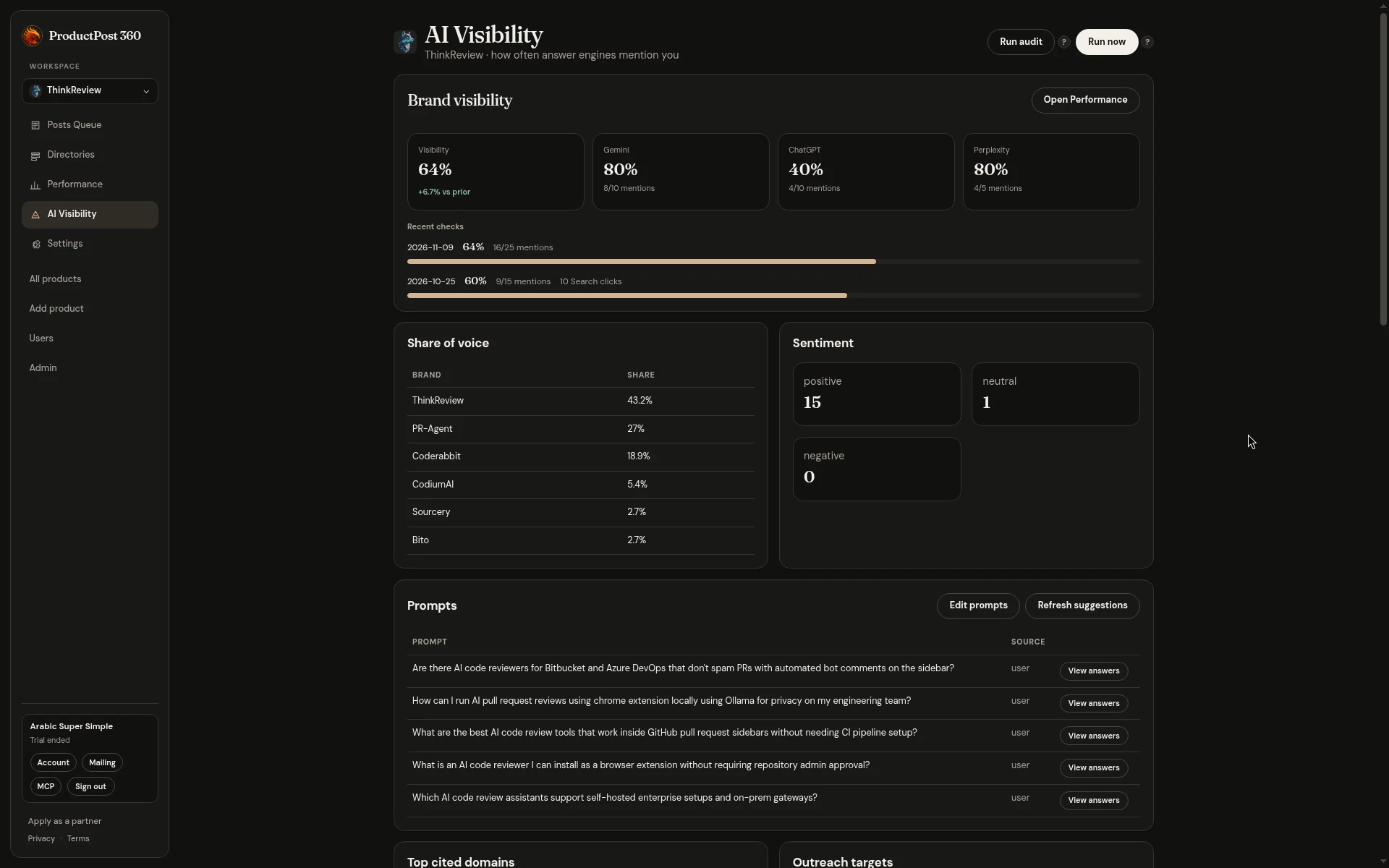
  • AI Visibility sits beside Search Console and shows whether answer engines mention the product.
  • A public page on mentions and citations.
  • Share a report. Most of it stays locked until signup.
  • Edit the prompts yourself.
  • WordPress.com Forums on the website pack.
AI Visibility report with tracked buyer prompts and engine mention rates
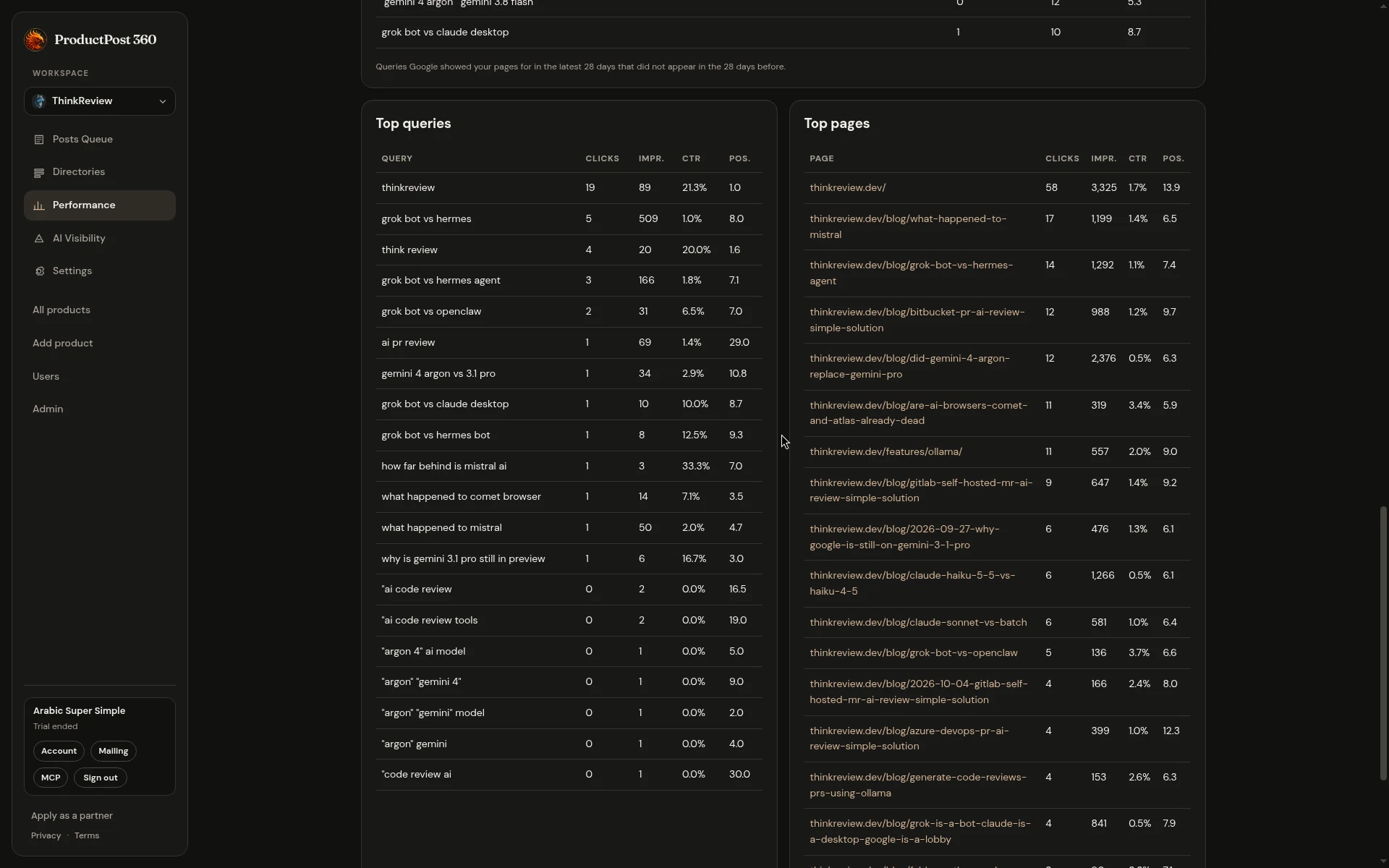
AI Visibility dashboard tracking answer engine mentions across Gemini, ChatGPT, and Perplexity.
0.11.0

Account, billing, and email choices

Start the trial from the first preview, choose which emails you get, and see billing in the account page.

0.11.0 — Account, billing, and email choices
  • Start the trial from the first onboarding result, while the example is still on screen.
  • Choose which product emails you receive.
  • A public page to unsubscribe and change those choices.
  • An account page for the billing contact, card, invoices, and plan history.
  • When a trial ends, the workspace stays open to read.
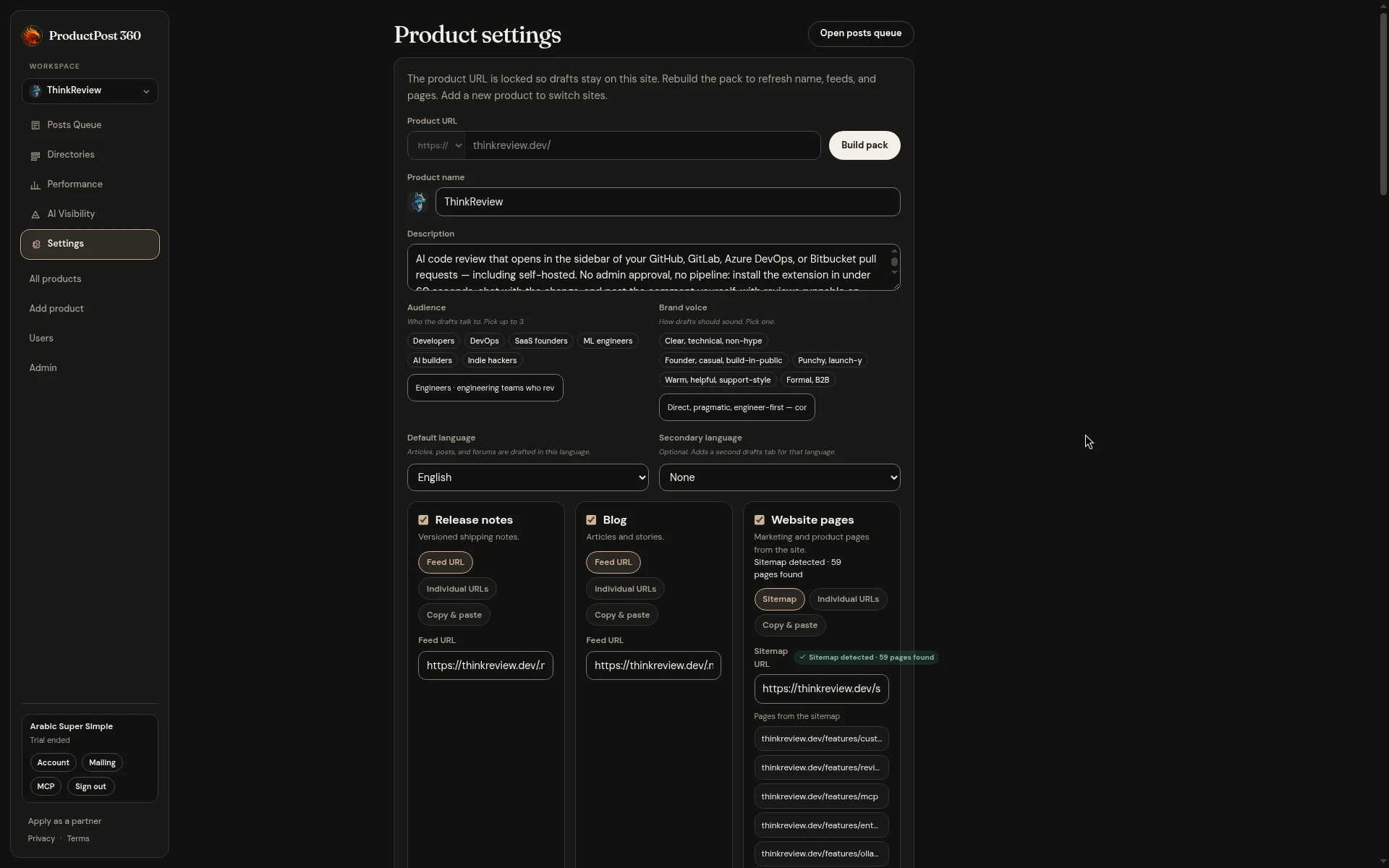
Product settings with general information and workspace preferences
Product workspace settings with general details and domain configuration.
0.10.0

Shorter onboarding, directories, and more rooms

Onboarding suggests one or two packs in shorter steps, and drafts can go to directories, gaming, and investing rooms.

0.10.0 — Shorter onboarding, directories, and more rooms
  • Onboarding suggests one or two packs, then shorter steps to sign-up.
  • Retail investing forums for broker comparison, separate from day-trading.
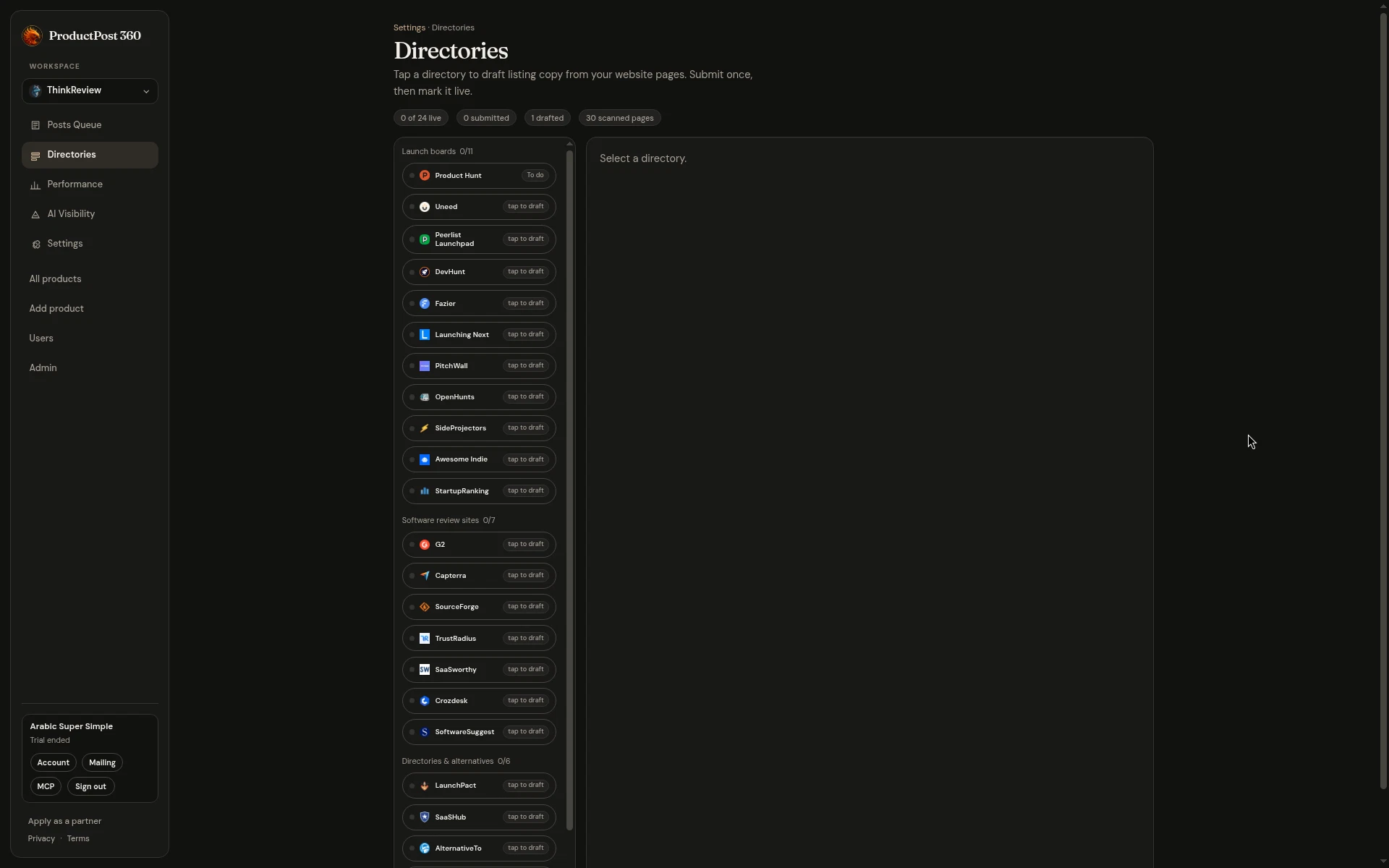
  • Directory listings drafted from the product site.
  • A games pack for indie, mobile, and tabletop, separate from poker and betting.
  • The homepage states the live count of rooms.
Directories catalog grouped into launch boards, review sites, and alternatives
Directory listings catalog for launch boards and software review platforms.
0.9.0

Draft email, trading, and sports

An email when campaign drafts are ready, plus packs for trading tools and tournament software.

0.9.0 — Draft email, trading, and sports
  • An email when campaign drafts are ready, with a way back to those drafts.
  • A trading pack for journals, charting, and scanners, so they are not filed as accounting.
  • A sports pack for tournament scoring and club tools, separate from fitness and betting.
0.8.0

Draft languages and finance rooms

Write a product in more than one language, and post accounting tools in finance forums.

0.8.0 — Draft languages and finance rooms
  • Give a product more than one language. Drafts open in a second tab.
  • Accounting and finance forums sit on the fintech pack, separate from trading.
0.7.0

Restaurants pack and plans by product count

A restaurants pack for kitchen and cafe tools, and plans priced by how many products you run.

0.7.0 — Restaurants pack and plans by product count
  • A restaurants pack for kitchen and cafe tools, including ChefTalk and owner communities.
  • Rooms with no free place to post are left out of the packs.
  • Plans follow how many products you run: $29, $39, and $49.
  • Change plan in the app. An upgrade is billed then, not on the next cycle.
0.6.0

No-card trial and more health rooms

Start a 14-day trial without a card, keep trial workspaces to one product, and post in Patient.info and HealthUnlocked.

0.6.0 — No-card trial and more health rooms
  • Start a 14-day trial without a card. Stripe is asked for when the trial ends.
  • Trial workspaces stay at one product so the first run stays focused.
  • Health drafts now go to Patient.info Communities and HealthUnlocked, not HIMSS.
  • Extra rooms for poker strategy Discords, InfoSec Exchange, and community-building discussion.
0.5.0

Sector packs and draft images

Construction, social, and gambling rooms, plus drafts that keep the images from the original post.

0.5.0 — Sector packs and draft images
  • New community packs for construction, social, and gambling — pick two packs so drafts land in the right rooms.
  • Travel, legal, hiring, and other sector forums are in the catalog, and pack choice stays on a closed list.
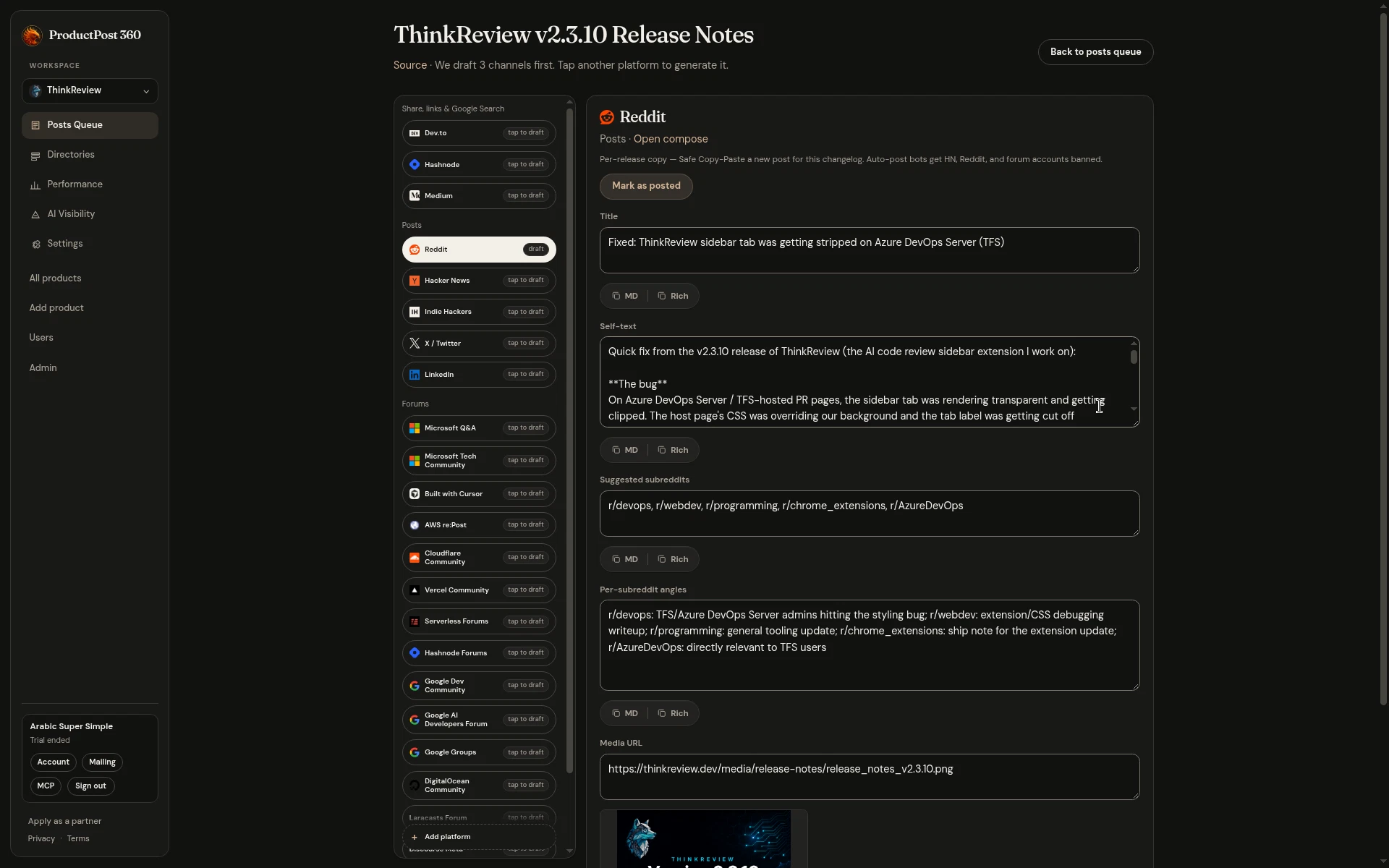
  • Generated drafts keep the images from the original changelog or blog post, including when you regenerate.
  • The public homepage shows a small forum sample. The full catalog stays in the product.
Reddit draft preview preserving original release context and images
Channel-native Reddit draft tailored to community guidelines and post context.
0.4.0

URL-first onboarding and community packs

Start with your website URL, pick community packs that match the product, and add missing channels from a campaign.

0.4.0 — URL-first onboarding and community packs
  • Onboarding starts with the website URL, so the first preview is about the product before you create an account.
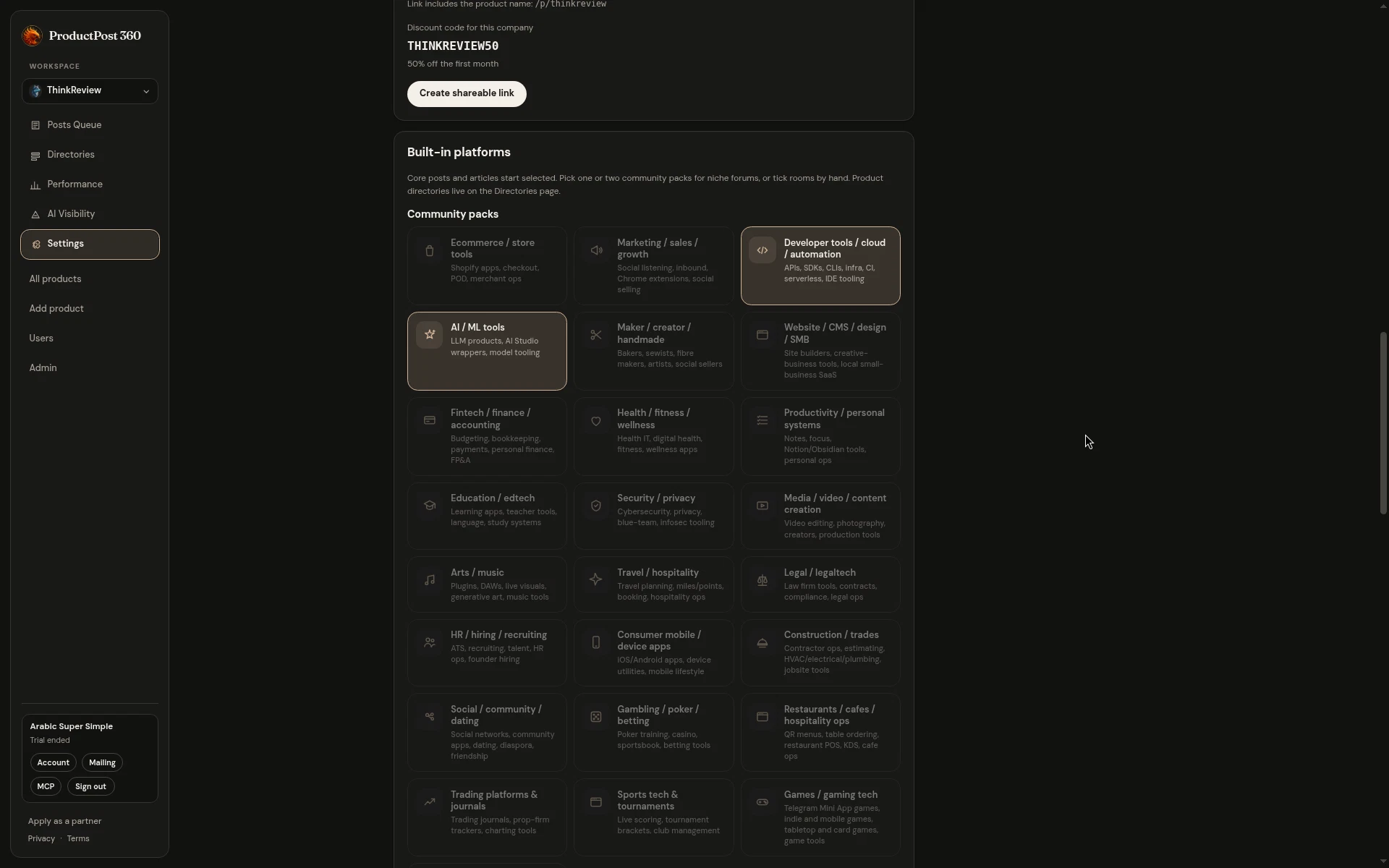
  • Community packs suggest forums that fit the product — ecommerce, marketing, developer, health, and the rest — with clearer tiles and audience chips.
  • Add a missing channel from the campaign drafts page when the first three are not enough.
  • Homepage signup sits above the fold, and the trial is led with $0.
Community packs selection with audience tags and target rooms
Community packs selection for SaaS, marketing, and developer forums.
0.3.0

Shareable packs, more forums, and smarter scans

Share an onboarding pack, post in more community forums, and pick up website pages and HTML blogs more reliably.

0.3.0 — Shareable packs, more forums, and smarter scans
  • Share an onboarding pack for your product. Each link includes a company-named 50% first-month code.
  • Scan now picks up website pages from the sitemap, plus HTML release notes and JavaScript blogs that used to look empty.
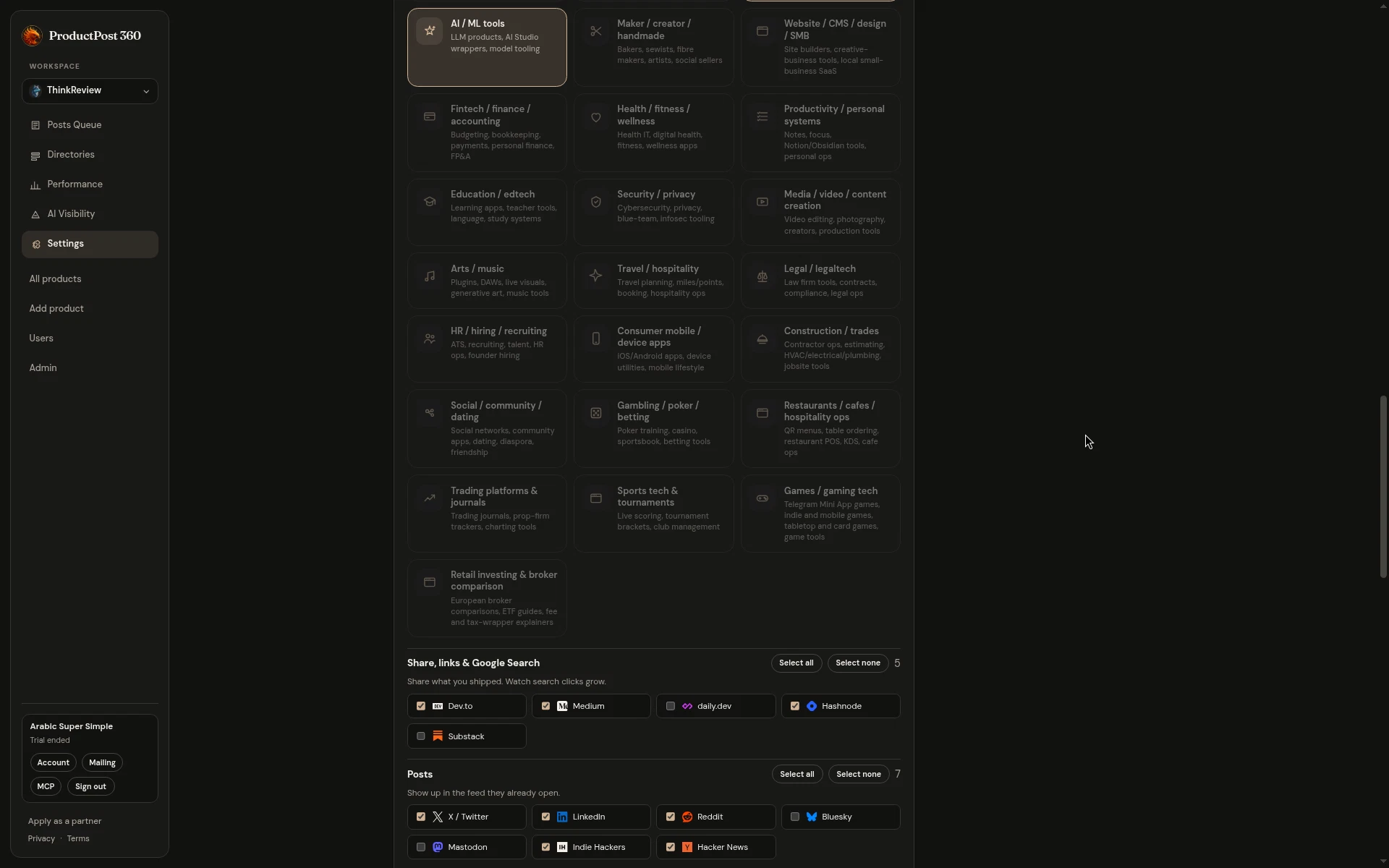
  • Example packs show 40+ more channels, including Google Groups, the Google AI Developers Forum, and maker, store, and marketing rooms.
  • Campaigns generate three drafts first so you can keep moving; add another product from the switcher when you are ready.
Channels and community platforms configured in product settings
Community platforms and discussion channels configured for content drafts.
0.1.0

Public launch

First public version of ProductPost 360 — scan a site, generate channel-native drafts, and start a trial.

0.1.0 — Public launch

ProductPost 360 is live at productpost360.com.

  • Scan a homepage for changelog and blog sources (RSS, Atom, sitemap, or a page URL).
  • Generate ready-to-post drafts for Reddit, X, developer blogs, forums, and 50+ directories.
  • Copy and paste yourself — no auto-post.
  • Google and GitHub sign-in, with a 14-day Stripe trial.
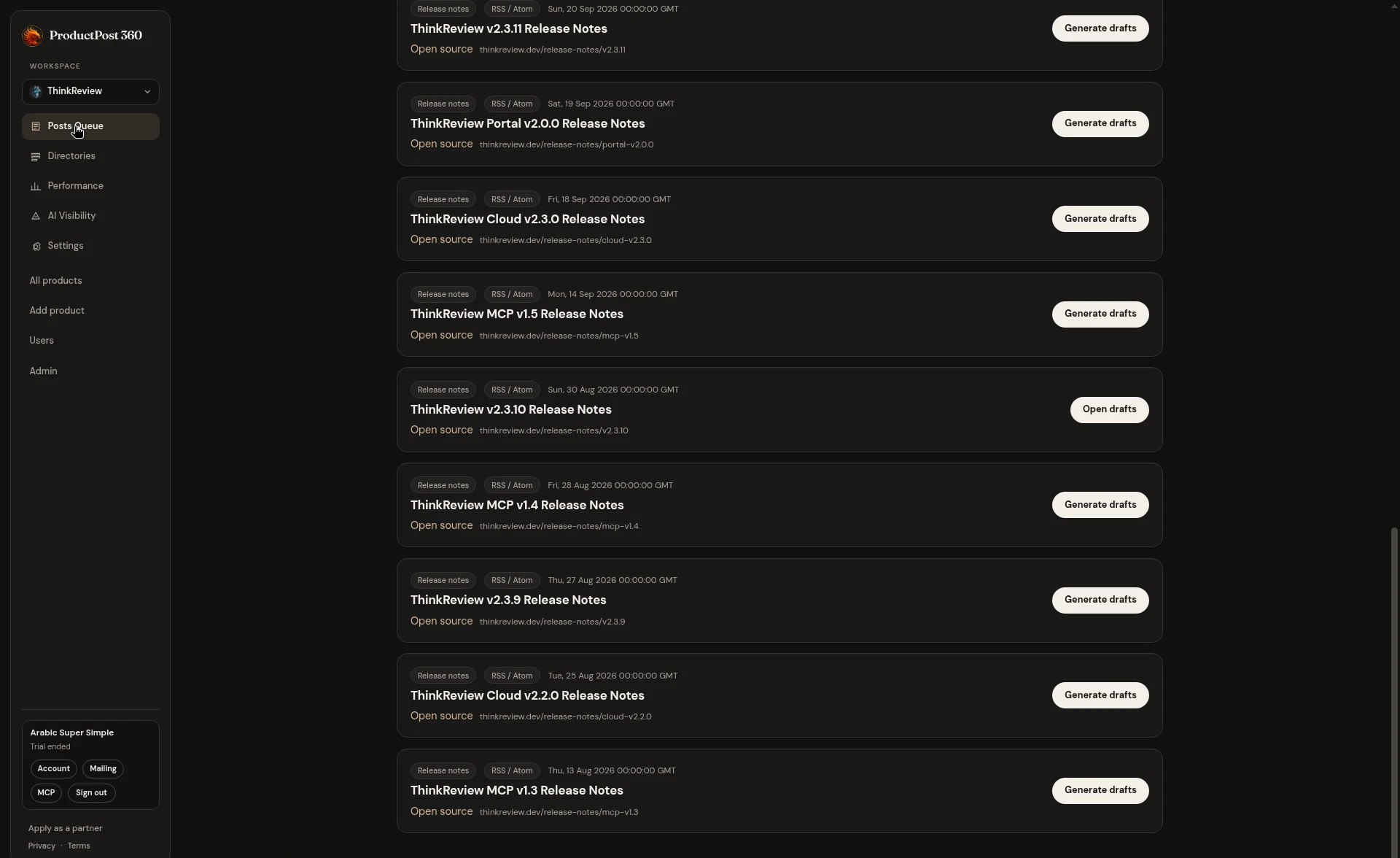
Posts queue with channel-specific drafts generated for community releases
Generated drafts for community releases across Reddit, Dev.to, and Hacker News.