 ProductPost 360
Blog
Three sources, one posts queue
Releases, blog posts, and pages land in one queue. Generate a draft when the source is worth a room, and leave the rest closed.

Distribution starts as a list. The posts queue is that list: every release, blog post, and public page the product is allowed to read, with drafts behind the rows you choose to open.
The screens in this piece are ThinkReview, a real product in a ProductPost 360 workspace. The queue looks the same after you paste any site.
Three inboxes, one habit
The queue has three tabs, because the things you ship are not the same kind of source.
Releases are the changelog. A version note is a fact you already published. It sits in the queue until you decide a room would want it.
Blog posts are the essays: a comparison, a postmortem, a tutorial. These are usually the sources that hold up on article sites, because the useful part is already written in public.
Pages are the marketing site. The homepage, pricing, a feature, an integration. A page is a source when the page itself is what a stranger should read. A pricing change belongs here. A footer does not.
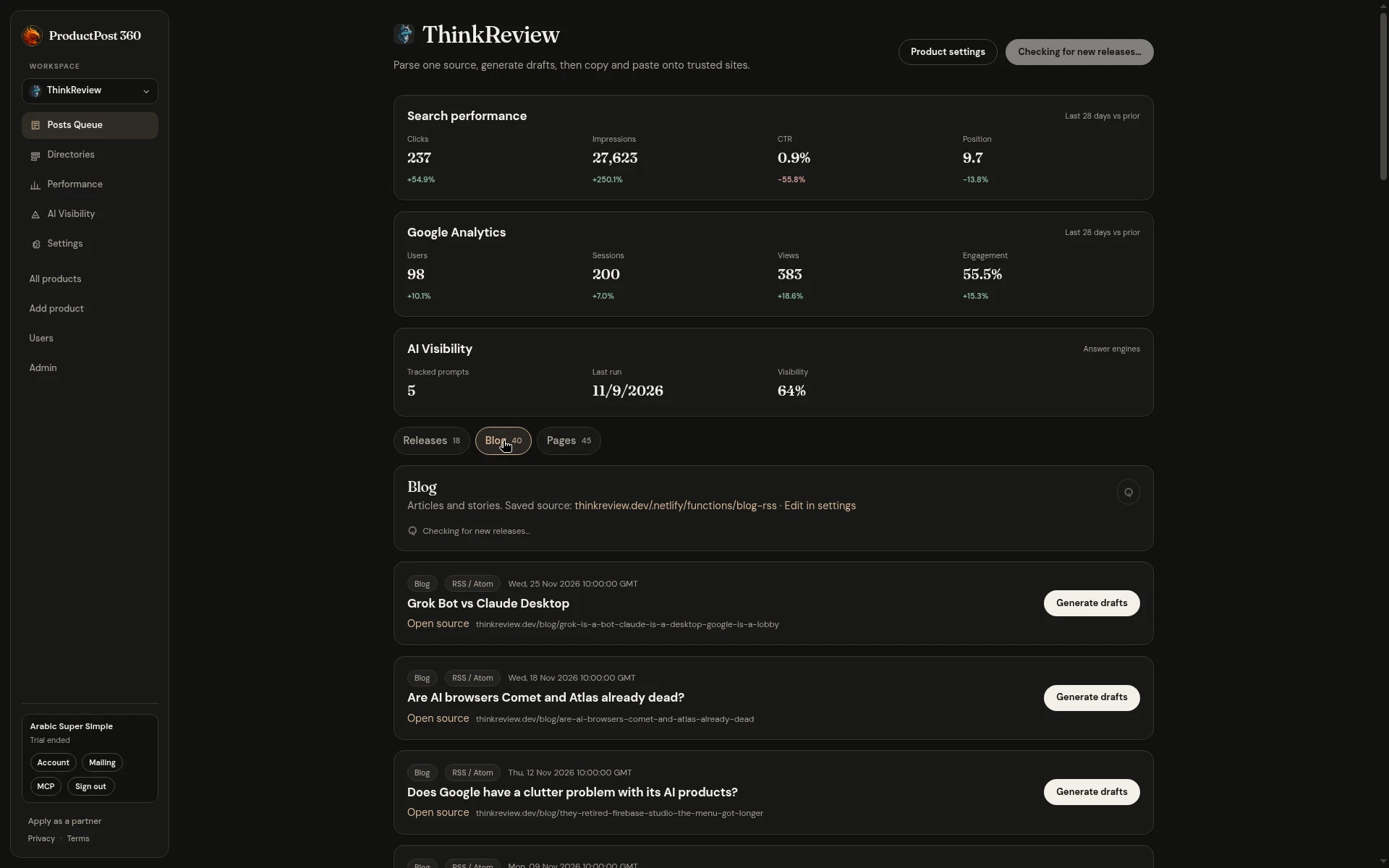
The line under the product name is the whole loop. Parse one source, generate drafts, then copy and paste onto the sites you trust. You post from your own account.
When to generate, and when to leave the row closed
A full changelog is not a posting plan. ThinkReview’s releases tab is a stack of version notes. One of them, v2.3.10, already has drafts. The others are still a button.
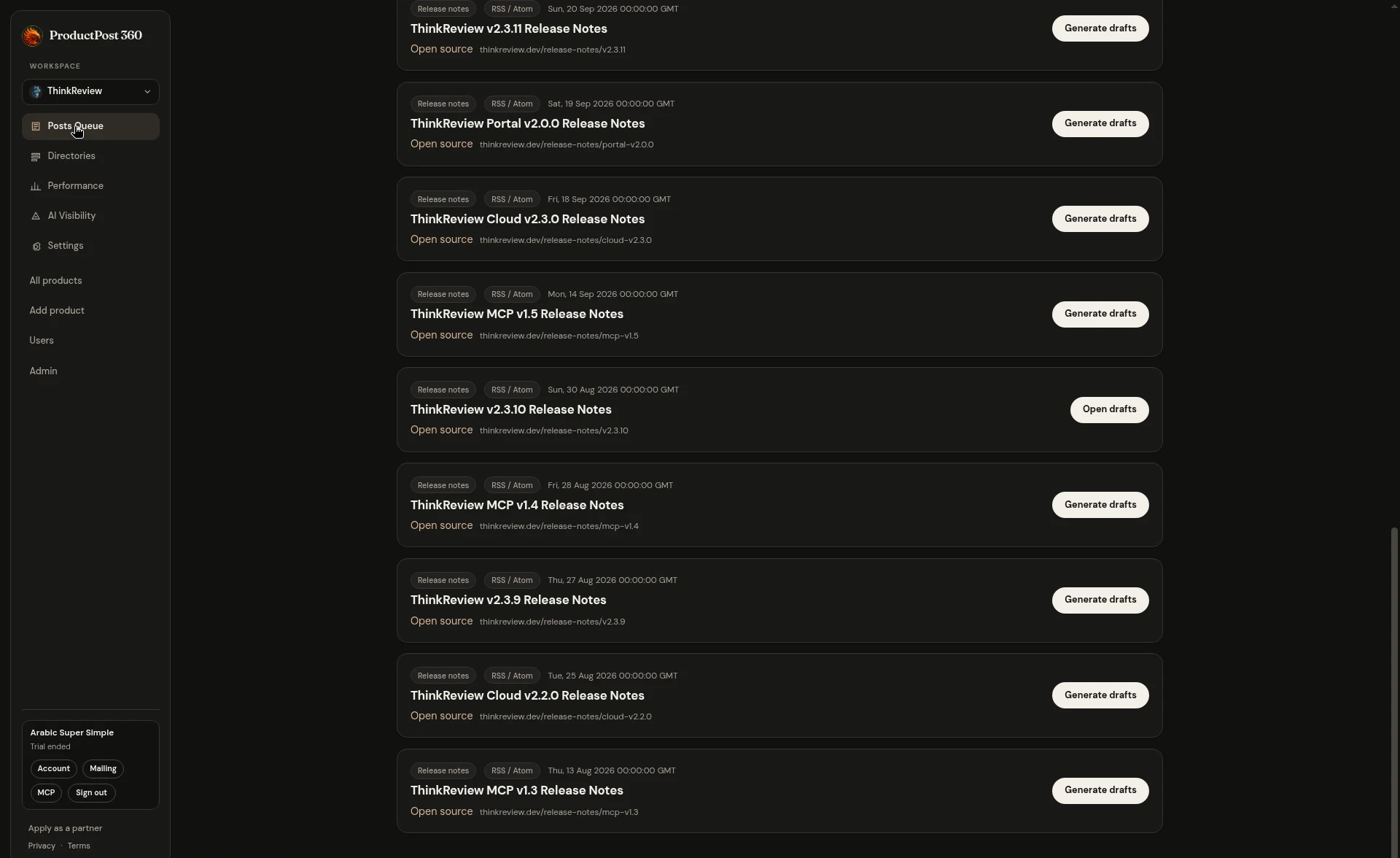
That split is the decision.
- A bugfix that only hits one host belongs in the rooms where those people already complain. v2.3.10 was a sidebar bug on Azure DevOps Server. That is a draft for a narrow audience, and a weak candidate for every forum on the list.
- A comparison essay belongs on the article sites, and in the threads where people are already arguing those two products. Generate it, then open the rooms that match the argument.
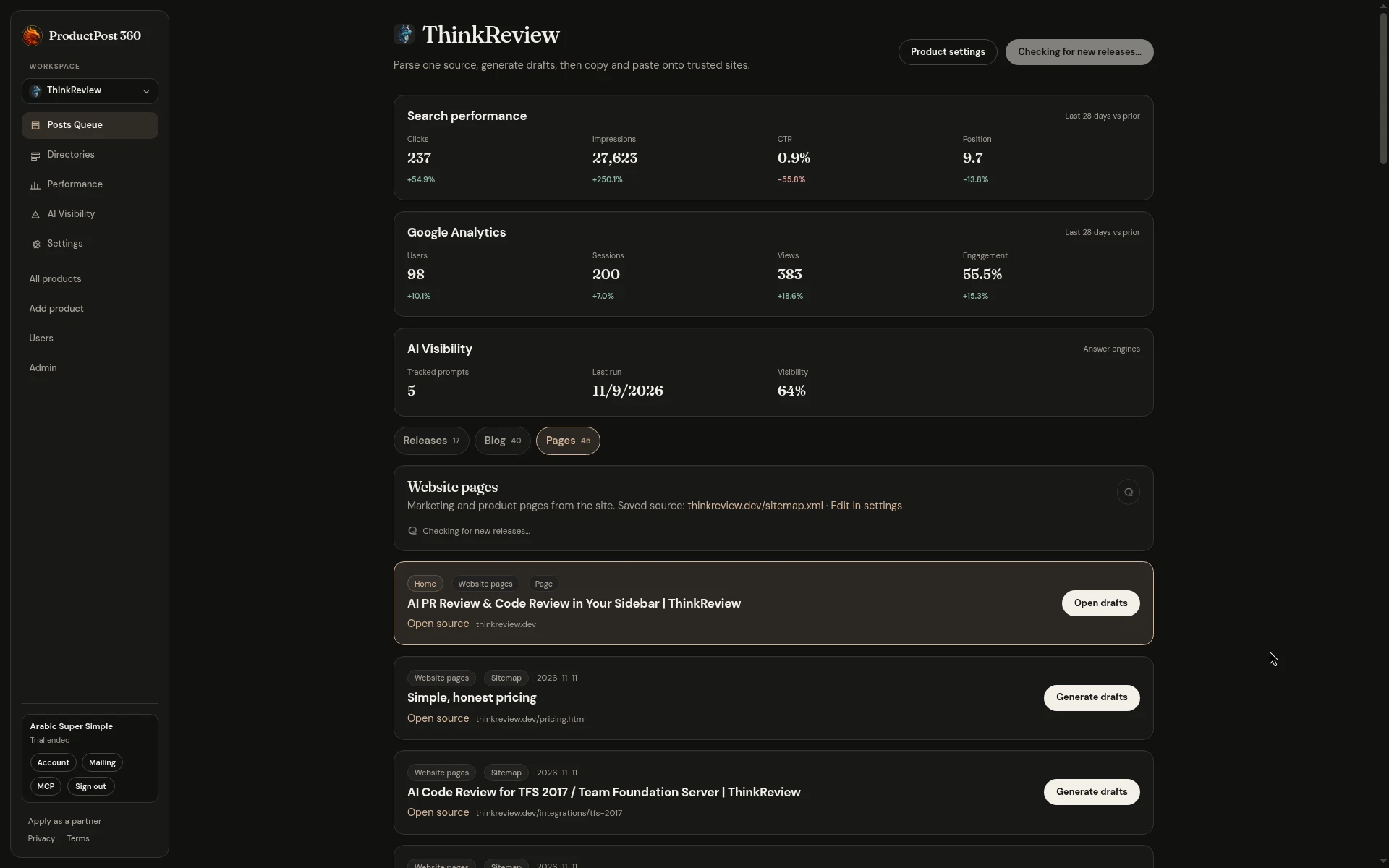
- A homepage stays in the queue so the product description stays attached to the site. Generate a draft when you are introducing the product. Leave it closed on a week when you shipped a patch.
Generating every row on a Sunday produces a pile you will not read. The queue works because most rows stay closed.
The numbers above the list
The same page keeps a short reading of search, analytics, and AI visibility for the last 28 days, set against the 28 days before. Clicks, impressions, users, and how often the tracked answers mentioned the product.
Read the cards before you spend the afternoon drafting. A release week with flat clicks can still deserve the three rooms that match the release. A week where a new query appeared is a reason to open the blog post that already answers it, and draft that, instead of drafting the homepage again.
The cards are the last stored window. The queries, the referrers, and the prompts live on Performance and AI Visibility. The queue is where you decide which source gets a draft today.
A week that fits
A small team can run this without a content calendar.
- Ship the release. The next check pulls it in from the feed you saved in settings.
- Open the one source that has something a stranger can use.
- Generate drafts. Read them. Paste the ones that fit, on different days.
- Leave the skipped rows closed, so next week’s release does not inherit a guilt list.
The 1-product plan is $1 for the first month, then $29 a month. The queue is the page you open the morning after a ship. Paste the site you already have and the three tabs fill from what is public.