 ProductPost 360
Blog
Connect search before you judge a post
Connect Search Console, Bing Webmaster, and GA4 on the product. The performance page and the weekly brief only know the properties you have saved.

A draft you pasted on Thursday cannot be judged on Friday. Search needs a few weeks, and it needs the right property connected before any of those weeks count. Settings is where Google Search Console, Bing Webmaster Tools, and Google Analytics get attached to one product. Performance is where you read them. The brief only writes from the snapshots those connections have already stored.
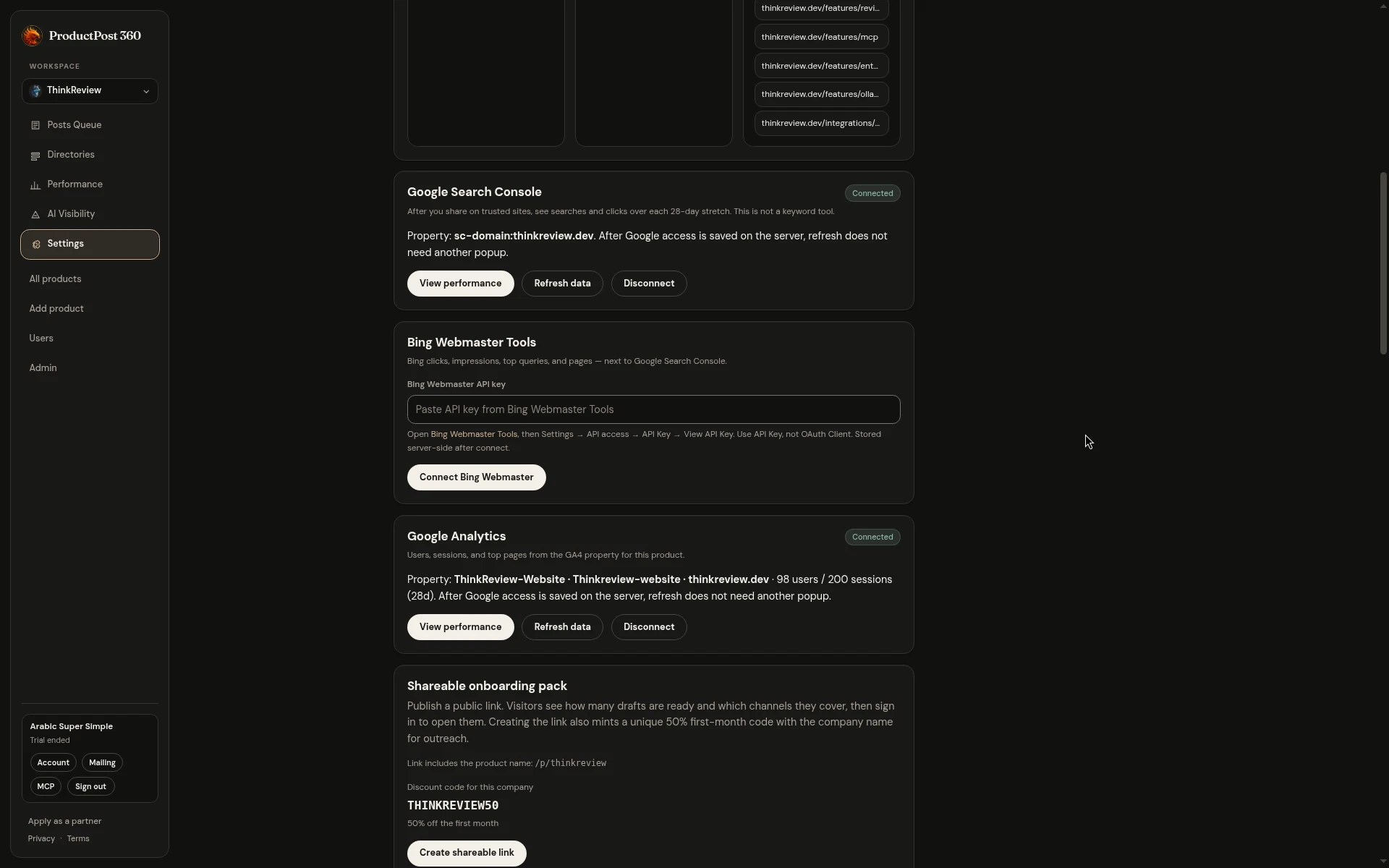
The screen is ThinkReview, with Search Console and Analytics connected, and Bing still waiting on a key. That gap is worth leaving visible.
Google Search Console
Search Console is the queries and the pages: clicks, impressions, click rate, average position, and the searches that showed up in this 28-day window and were absent from the one before. It answers whether Google is putting the page in front of people.
You connect a property once. After access is saved on the server, a refresh uses that grant. You pick the property that matches the product URL, and the performance page keeps that choice. A property for a different host will cheerfully report someone else’s clicks, so read the property name in the card before you trust a chart.
Judge a post against this report from about day 14, after the URL has had time to be crawled and the window has had time to include the day you pasted. Upvotes on the day you posted are a different score. They live on the other site.
Bing is a second audience
Bing Webmaster is the same kind of report for another engine: clicks, impressions, queries, and pages. A page that earns the click on Google can be invisible there. A query Bing already understands can be absent from Search Console.
The connection is an API key from Bing Webmaster Tools. You paste it once. It is stored for that product, and the card can refresh without asking again. Until you do, the Bing total on the performance page stays empty, and the weekly brief leaves Bing out. That emptiness is accurate. Filling it with a guess would make the summary worse.
Connect it when you care whether a second engine sees the site. Skip it if you are still in the week where Google is the only traffic that matters, and come back when the Search Console window is something you trust.
Analytics is the visit
GA4 is who arrived after the click. Users, sessions, views, engagement, the channel, and the referring URL. It does not know the query. It does know whether organic search, a referral, or a direct visit did the work, and whether a forum’s two sessions stayed long enough to count.
Connect the property that contains the product’s host. The card names the property and the last totals so you can see you picked the right one. View performance jumps to the charts. Refresh data pulls a new snapshot. Disconnect is there for the day you pointed it at a staging property by mistake.
Read the three together when a number surprises you. Search Console up, analytics flat: people saw the listing and did not arrive, or they arrived on a host this property does not track. Analytics up, search flat: the visits came from somewhere else, and the referrer table will usually name it. Bing up, Google quiet: you have an audience the first chart will never show you.
A link for the person who posts with you
Under the connections, a shareable onboarding pack publishes a public page. A contractor, a co-founder, or a partner can see how many drafts are ready and which channels they cover, then sign in to open them. The link includes the product’s name. Creating it also mints a unique 50% first-month code for that product, so the person you send it to can start on the same site.
Send the pack when someone else will paste the drafts. Keep the search connections on the account that owns the properties. The pack shows the work. The performance page shows whether the work reached anyone, and only after the properties are the right ones.